What Are Emeralds?
On this page
Emeralds are Makiverse’s in-app currency.
You can use Emeralds to generate content, access faster generation options, and use certain creation features across Makiverse.
Emeralds can be used with tools such as:
- Images
- Manga
- GIFs
- Characters
- Other generation features
The number of Emeralds required may vary depending on the tool and generation settings you choose.
What Can Emeralds Be Used For?
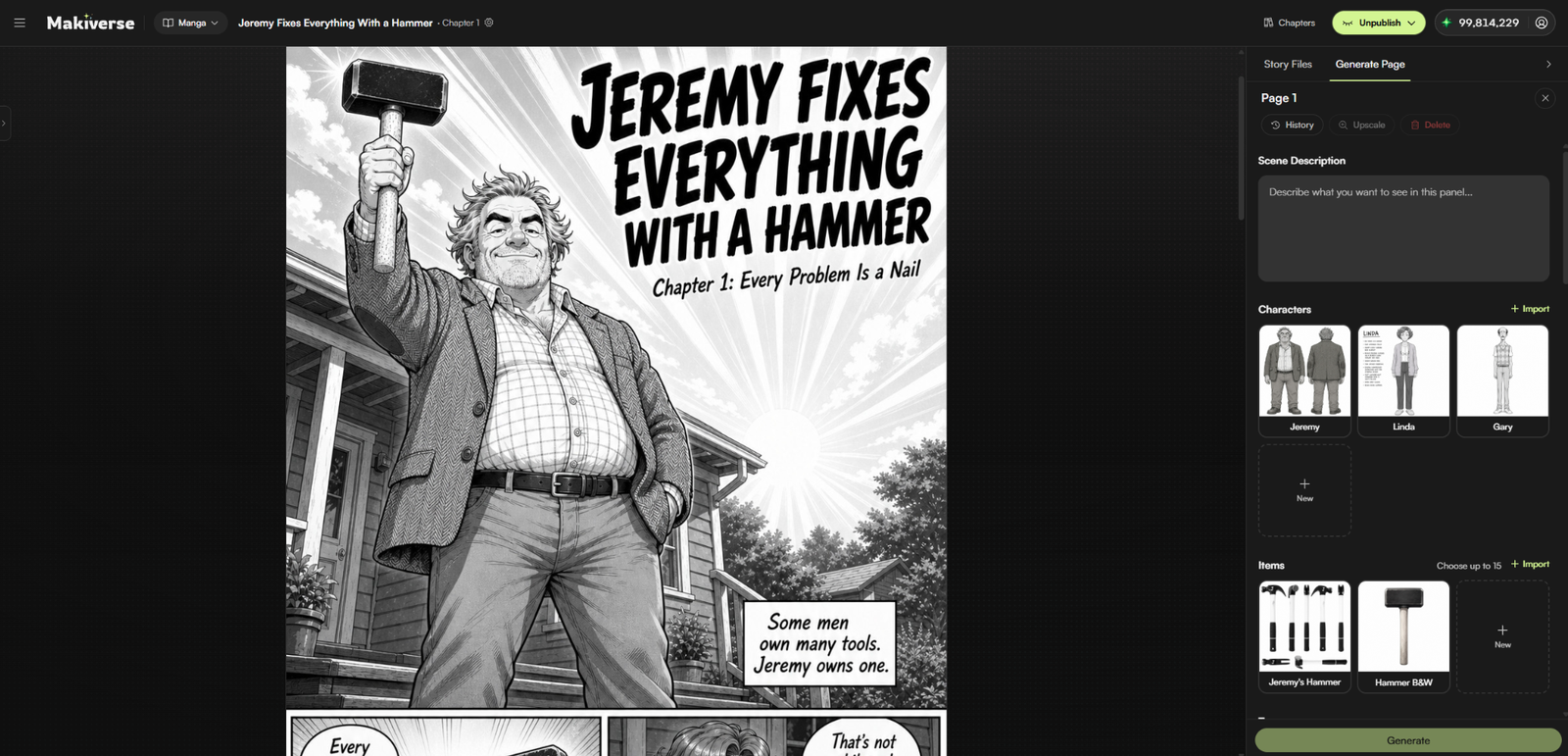
Emeralds can be used for different creation actions on Makiverse.
These include:
- Generate Images
- Create Manga content
- Generate GIFs
- Create Consistent Characters
- Use faster generation queues
- Access higher-quality or more advanced generation options
- Use selected paid settings or features
The exact Emerald cost can vary depending on the tool, settings, queue, and options you choose.
Before generating, always check the cost shown on the AI Generate button. This lets you see how many Emeralds will be used before you confirm the generation.
Where to Buy Emerald Packs
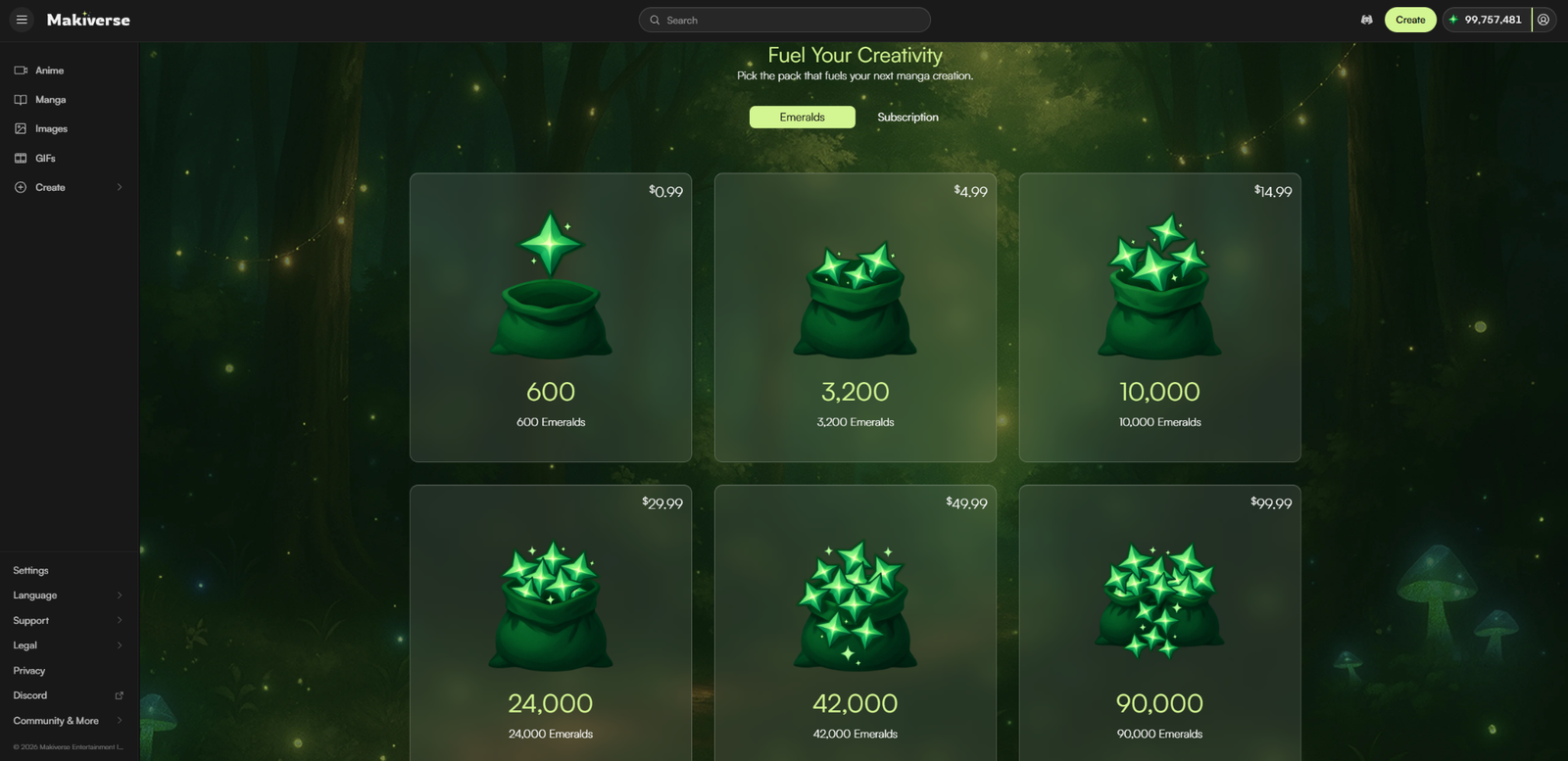
You can purchase Emerald Packs from the Makiverse Store.
Step 1: Open Makiverse
Log in to your Makiverse account.
Step 2: Open the Store
Click your Emerald balance or open the Upgrade / Store page from the navigation menu.
This opens the page where you can view available Emerald Packs and subscription options.
Step 3: Choose an Emerald Pack
Select the Emeralds tab to view one-time purchase options.
Available packs may include:
- 600 Emeralds
- 3,200 Emeralds
- 10,000 Emeralds
- 24,000 Emeralds
- 42,000 Emeralds
- 90,000 Emeralds
Choose the pack that best matches how much you plan to create.
Step 4: Complete Your Purchase
Select your Emerald Pack and follow the checkout steps.
You will be taken to the payment page to enter your payment details and complete the purchase.
Once the payment is successful, the Emeralds will be added to your account.
Monthly Emerald Subscriptions
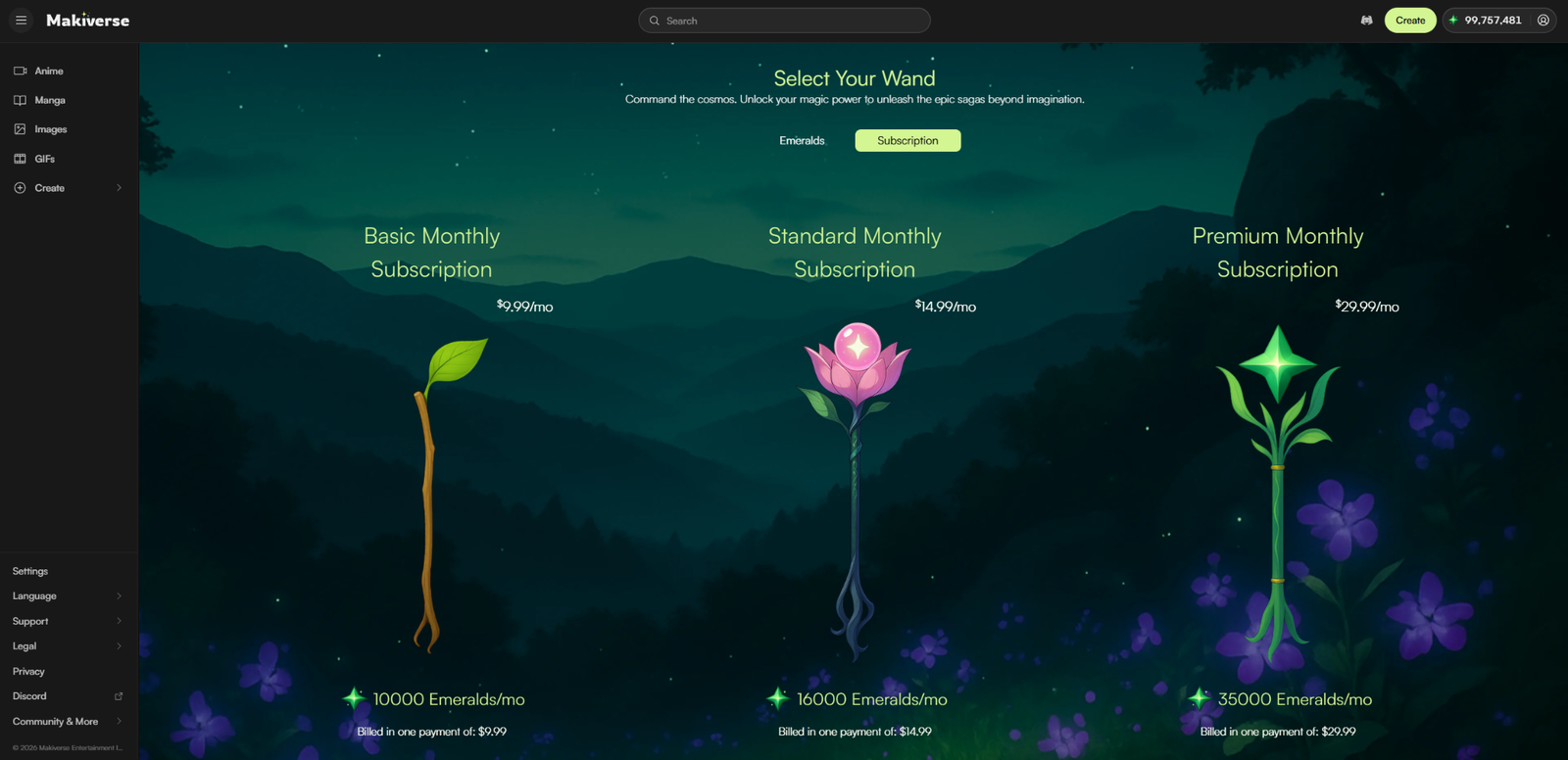
Makiverse also offers monthly Emerald subscriptions.
Subscriptions give you a set amount of Emeralds each month based on the plan you choose.
Available options may include:
- Basic Monthly Subscription
- Standard Monthly Subscription
- Premium Monthly Subscription
Each plan includes a different monthly Emerald amount.
Subscriptions are useful if you create regularly and want Emeralds added to your account each month.
One-Time Packs vs Subscriptions
Choose the option that best matches how often you use Makiverse.
One-time Emerald Packs are a good choice if you only want to buy Emeralds when needed.
Monthly Subscriptions are a better fit if you create often and want a recurring Emerald allowance.
Checking Your Emerald Balance
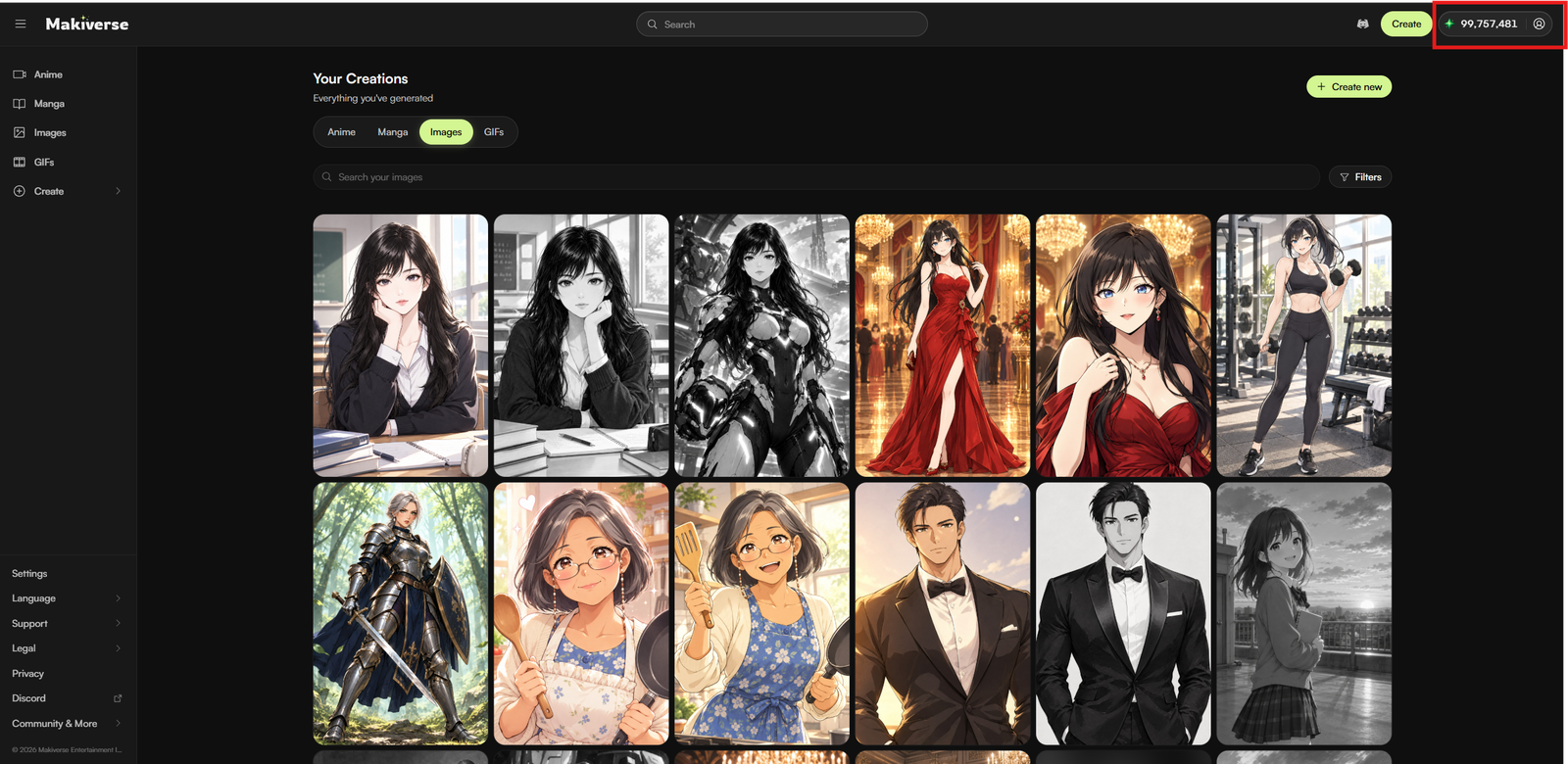
Your Emerald balance appears in the top-right corner of the screen, next to the User Menu.
Hover over the balance to view the exact number of Emeralds in your wallet.
Before generating, check your balance to make sure you have enough Emeralds for the action you want to complete.
If you need more, you can purchase additional Emeralds from the Store.
Tips
- Check the AI Generate button before creating to confirm the Emerald cost.
- Use the Free or Basic queue when available if you want to save Emeralds.
- Use Express or other paid generation options when you want faster results.
- Choose a one-time Emerald Pack for a specific Project or occasional use.
- Choose a subscription if you generate content regularly.
Need Help?
If your Emeralds do not appear after purchase, refresh the page and check your balance again.
If the issue continues, contact Makiverse Support and include:
- Your account email
- A screenshot of the receipt
- Relevant payment details
This will help the team review your purchase. If the issue continues, contact Makiverse Support.